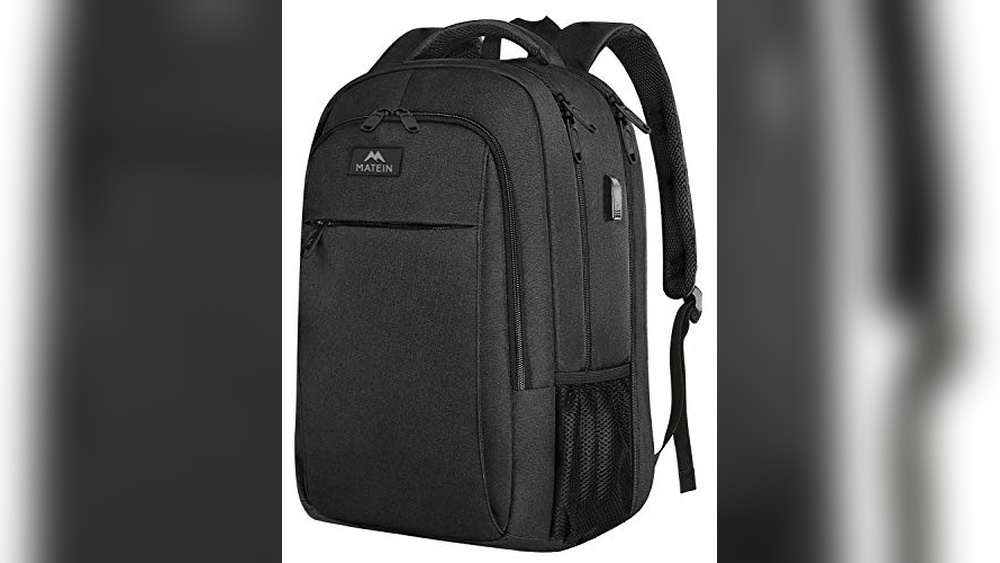
Are you struggling to get your Osprey backpack to fit just right? A poorly adjusted backpack can make your hikes uncomfortable and even cause pain.
But don’t worry—adjusting your Osprey backpack correctly is easier than you think. With a few simple steps, you can make sure it sits perfectly on your back, balances the weight, and feels like it was made just for you. Keep reading, and you’ll learn exactly how to fine-tune your pack for maximum comfort and support every time you hit the trail.
Choosing The Right Backpack Size
Choosing the right backpack size is key for comfort and support. A well-fitted backpack reduces strain on your back and shoulders. It helps you carry your gear easily on long hikes or daily trips. Sizing your Osprey backpack correctly makes your journey more enjoyable.
Measuring Torso Length
Start by measuring your torso length. Use a tape measure or a piece of string. Find the bony bump at the base of your neck. This is your C7 vertebra. Then, locate the top of your hip bones. Measure the distance between these two points. This length gives you your torso size. Match this size to Osprey’s sizing chart. It ensures the backpack fits your back length well.
Selecting Frame Size
Next, choose the right frame size for your backpack. Osprey offers different frame sizes to fit various body types. A frame that is too large or small causes discomfort. Check the backpack’s frame size options. Pick one that matches your torso length. This step helps distribute weight evenly. It keeps your posture natural and reduces fatigue.
Setting The Shoulder Straps
Setting the shoulder straps on your Osprey backpack is a key step for comfort. Proper adjustment helps spread the weight evenly across your shoulders. It also prevents strain during long hikes or travel. This section explains how to position and tighten the shoulder straps for the best fit.
Positioning For Even Load
Place the backpack on your back and stand straight. Slide the shoulder straps so they sit comfortably on your shoulders. The straps should wrap around the top of your shoulder muscles. Avoid letting them rest on your neck or arms. Check that both straps are at the same height. This balance spreads the weight evenly. It helps you carry the load without discomfort or pain.
Adjusting Strap Tightness
Pull the strap ends to tighten the shoulder straps gently. The backpack should feel snug but not tight. Leave enough space to move your arms freely. Tight straps reduce shifting while walking. Loose straps cause the pack to bounce and strain your back. Adjust until the pack feels secure and comfortable. Test by walking a few steps and fine-tune as needed.
Adjusting The Hip Belt
Adjusting the hip belt on your Osprey backpack improves comfort and balance. The hip belt carries most of the pack’s weight. A good fit reduces strain on your shoulders and back. Follow these steps to adjust the hip belt correctly.
Finding The Hip Bone Placement
Locate the top of your hip bones. The belt should rest just above this point. It sits on your iliac crest, not your waist. Place the belt on your hips, not your stomach. This position helps transfer weight to your legs.
Securing The Belt Snugly
Fasten the buckle and pull the straps tight. The belt should feel snug but not tight. You want firm support without discomfort. Check that the padding wraps around your hips evenly. Adjust the straps until the belt stays in place during movement.
Tightening The Load Lifters
Tightening the load lifters on your Osprey backpack helps control how the pack sits on your back. These straps connect the top of the shoulder straps to the top of the pack. Adjusting them pulls the load closer to your body, improving comfort and balance. Proper tension on the load lifters can make a big difference during long hikes.
Balancing Weight Distribution
Load lifters help move weight from your shoulders to your hips. Tightening them lifts the pack upward and closer to your back. This keeps the weight centered, so you do not lean backward. A balanced load reduces fatigue and makes walking easier. It also helps you keep better posture while carrying heavy gear.
Reducing Shoulder Pressure
Tightening the load lifters reduces the strain on your shoulders. The pack feels lighter because the weight moves toward your hips. This adjustment stops the shoulder straps from digging into your skin. You get less pain and more comfort on long trips. Your shoulders stay relaxed, helping you hike longer without discomfort.
Configuring The Sternum Strap
The sternum strap is a small but important part of your Osprey backpack. It helps keep the shoulder straps in place and spreads the weight evenly. A well-adjusted sternum strap improves comfort and balance. Adjusting it correctly can make your hike or daily use much easier.
Setting Height And Width
Start by finding the right height for the sternum strap. It should sit across the middle of your chest. Too high or too low can cause discomfort. Most Osprey packs let you slide the strap up or down on the shoulder straps. Move it until it feels natural and does not restrict breathing.
Next, adjust the width of the strap. Pull the strap ends to tighten or loosen it. The strap should be snug but not tight. It must hold the shoulder straps close without digging into your chest. This balance keeps you comfortable during long walks.
Enhancing Stability
The main job of the sternum strap is to keep your pack stable. When you walk or climb, the bag moves less with a good sternum strap. This reduces shoulder strain and improves your balance. Fasten the buckle securely and check it often on the trail.
Try walking with the pack after adjusting the strap. Notice if the bag shifts or feels loose. Tighten the strap a little if needed. A stable pack feels lighter and helps you move better on rough paths.
Customizing The Torso Length
Customizing the torso length of your Osprey backpack is key to a comfortable fit. A proper fit reduces strain and improves balance. It makes carrying your load easier on long hikes. The torso length adjusts the backpack to your back size. This section explains how to adjust this important feature.
Using Adjustable Harness
Start by loosening the harness straps. Find the harness panel that sits on your shoulders. Slide the panel up or down to match your torso length. The correct length runs from the base of your neck to the top of your hips. Adjust until the shoulder straps fit comfortably without pressure. Ensure the harness sits snug but not tight.
Locking The Adjustment
Once the harness is in the right place, lock it securely. Use the locking clips or Velcro tabs provided. This keeps the harness from moving during your hike. Double-check that the adjustment feels stable and firm. A locked harness improves comfort and support on the trail.
Fine-tuning For Comfort
Fine-tuning your Osprey backpack makes a big difference in comfort. Small changes help the pack fit your body better. This reduces strain and makes walking easier. The goal is to balance the weight and keep the pack stable. This section shows simple steps to adjust your pack after the first setup.
Walking Test Adjustments
Put on your loaded backpack and walk around. Notice any pressure points or slipping straps. Tighten the shoulder straps just enough to keep the pack close. Avoid over-tightening to prevent discomfort. Adjust the hip belt to sit on your hips, not your waist. The pack should not sway or bounce as you move. Make small changes and walk again until it feels steady.
Rebalancing After Loading
After loading your pack, check the weight distribution. Heavy items belong close to your back and centered. Light items go near the top and outside. Use compression straps to pull the load inward. This keeps the pack compact and balanced. Adjust the load lifter straps to tilt the pack slightly forward. This helps transfer weight to your hips. Rebalance the contents until the pack feels stable and comfortable.
Maintaining Backpack Fit Over Time
Maintaining the fit of your Osprey backpack over time is important for comfort and support. As you use the backpack, the straps and padding may shift or wear out. Regular care helps keep the pack snug and easy to carry. A well-fitted backpack reduces strain on your back and shoulders. It also improves your balance and ease of movement during hikes or daily use.
Regular Checks And Adjustments
Check the fit of your backpack before every trip. Look at the shoulder straps, hip belt, and load lifters. Adjust the straps to match your body size and shape. Tighten or loosen them for comfort and stability. Your body may change over time, so small tweaks help maintain the perfect fit. Don’t ignore any discomfort or pressure points. Adjust the backpack to prevent pain or injury.
Handling Wear And Tear
Wear and tear can affect how your backpack fits. Straps may stretch or padding may compress. Regularly inspect the fabric, buckles, and stitching. Replace or repair damaged parts quickly. Broken straps or worn padding reduce support. Keep the backpack clean to prevent material breakdown. Store it in a dry place to avoid mold or mildew. Proper care extends the life and fit of your backpack.
Frequently Asked Questions
How Do I Adjust The Shoulder Straps On My Osprey Backpack?
To adjust shoulder straps, loosen them first. Put on the backpack and pull down on the strap ends. Adjust until the pack feels snug but comfortable on your shoulders.
How Can I Set The Hip Belt Correctly On My Osprey Pack?
Position the hip belt over your hip bones. Tighten the belt by pulling the straps forward. It should support most of the pack’s weight for comfort.
What’s The Best Way To Adjust The Torso Length?
Locate the torso length adjustment panel on the back. Slide it up or down to fit your torso size. Proper fit improves comfort and weight distribution.
How Do I Adjust The Load Lifter Straps On My Osprey Backpack?
Tighten or loosen the load lifter straps above the shoulder straps. These help pull the pack closer to your body for stability and balance.
Conclusion
Adjusting your Osprey backpack correctly makes a big difference. A good fit helps carry weight comfortably. Tighten the straps step by step. Check the hip belt sits on your hips. Make sure the shoulder straps hug your shoulders well. Keep the load balanced for better support.
Take time to adjust before each trip. A well-set backpack means less pain and more fun. Keep practicing these steps to find your perfect fit. Your body will thank you on every adventure.