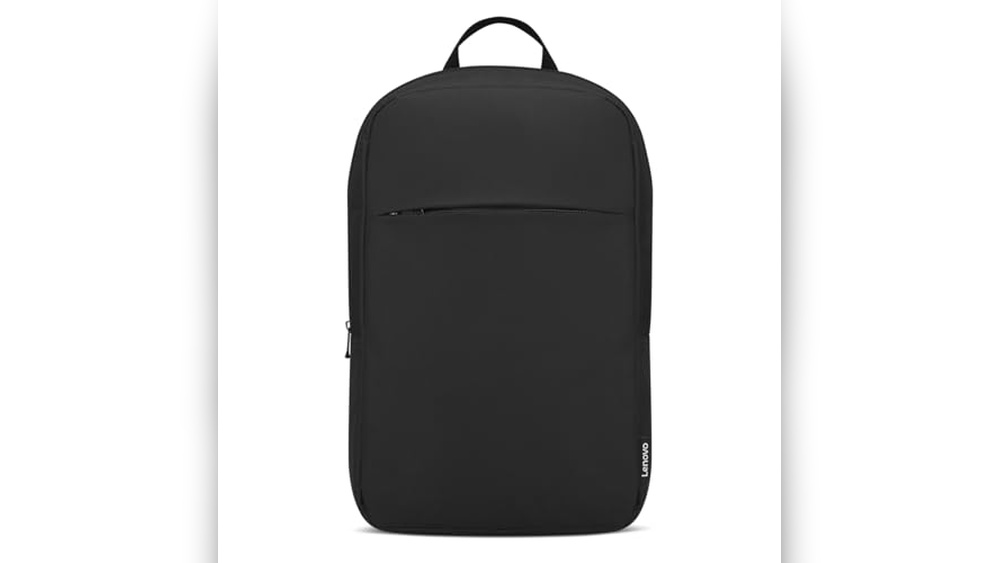
Have you ever wanted to add a personal touch to your backpack? Machine embroidery lets you do just that, turning a simple bag into something unique and stylish.
Whether you want to showcase your name, favorite design, or brand logo, this guide will walk you through the easy steps to get started. By the end, you’ll know exactly how to make your backpack stand out with beautiful, professional embroidery.
Ready to transform your gear? Let’s dive in!
Choosing The Right Backpack
Choosing the right backpack is the first step in machine embroidery. Not all backpacks work well with embroidery machines. Picking the right one makes your work easier and looks better.
Think about the fabric and the style before starting your project. Both affect how the design will appear and how the backpack will hold up over time.
Material Matters
Backpacks come in many materials like nylon, canvas, and polyester. Some fabrics are tougher and handle embroidery better. Thick canvas holds stitches well and lasts long. Thin nylon can be tricky because it moves a lot during sewing. Choose a material that stays still and can handle needlework without damage.
Selecting Suitable Styles
Backpacks have different shapes and parts. Some have many pockets, zippers, or seams. These details can make embroidery harder. Pick a simple style with smooth surfaces. Flat areas work best for machine embroidery. Avoid backpacks with too many curves or padded sections. They can block the embroidery machine’s needle and cause problems.
Preparing Your Design
Preparing your design is the first step in machine embroidery on backpacks. This step ensures your design fits well and looks great on the fabric. It also helps avoid mistakes during stitching. Taking time here saves effort later. Focus on choosing the right design and adjusting it for the backpack’s shape and material.
Digitizing For Backpacks
Digitizing means turning your image into a file the embroidery machine reads. For backpacks, digitizing requires special care. The fabric is thick and uneven. Use fewer stitches to avoid bulk. Choose a design with clean lines and simple shapes. Avoid fine details that may get lost on the fabric. Test your digitized design on similar material before stitching on the backpack.
Size And Placement Tips
Backpacks have limited flat space for embroidery. Measure the area carefully. Keep your design small to medium size. Large designs may wrinkle or distort. Place the design where it will show well, like the front pocket or flap. Use an embroidery hoop that fits the space without stretching the fabric. Check the design’s position before starting the machine. Proper size and placement make your embroidery look professional and neat.
Setting Up Your Machine
Setting up your machine correctly is key to a smooth embroidery process. This step ensures your design comes out clean and strong on your backpack. Take time to prepare your machine right before starting. It helps avoid mistakes and thread breaks. Two important areas need focus: needle and thread selection, and stabilizer choices.
Needle And Thread Selection
Choose a needle made for embroidery. Needles with a sharp point and a large eye work best. They prevent fabric damage and thread frays. Use embroidery thread, usually polyester or rayon. These threads are strong and shiny. Match thread color closely to your design. This keeps your embroidery neat and professional. Change needles often to keep stitches smooth.
Stabilizer Choices
Pick the right stabilizer for backpack fabric. Backpacks need a strong stabilizer to hold stitches. Cut-away stabilizers are best for thick materials. They stay under fabric permanently for support. Tear-away stabilizers work for lighter fabrics. They peel off after stitching. Use sticky stabilizers for tricky spots. Proper stabilizers stop fabric from puckering and stretching.
Hooping Techniques
Hooping is a key step in machine embroidery on backpacks. It helps keep the fabric tight and steady. Good hooping stops the fabric from moving during stitching. This ensures clear and neat embroidery designs.
Using Clamps And Frames
Clamps and frames hold the backpack fabric firmly. Choose a frame size that fits the embroidery area well. Clamps add extra grip on thick or uneven fabric parts. They stop the fabric from slipping out of the hoop. Always check the fabric is smooth before tightening the clamps. This avoids wrinkles and uneven stitches.
Avoiding Fabric Shifts
Fabric shifts cause blurry or crooked embroidery. Use a stabilizer under the backpack fabric for support. Tighten the hoop just enough to hold the fabric without stretching it. Test the hooped fabric by gently pulling it. If it moves, adjust the hoop or use stronger clamps. Keep the fabric flat and firm throughout the stitching process.
Embroidery Process
Embroidery on backpacks requires careful attention to detail. The process differs from flat fabric embroidery. Backpacks have thick material and many curves. This makes embroidery a bit tricky but rewarding. Following the right steps ensures neat and lasting designs.
Managing Curved Surfaces
Curves on backpacks can cause fabric to pull or shift. Use a small embroidery hoop to keep fabric tight. Place stabilizer inside the backpack to support the area. Move the hoop carefully to avoid stretching the design. Take your time to adjust the fabric as you stitch.
Adjusting Tension And Speed
Backpack material is thicker than regular fabric. Lower the machine speed to avoid thread breakage. Adjust the thread tension to match the fabric thickness. Test on a similar fabric before starting on the backpack. Proper tension and speed prevent puckering and loose stitches.
Troubleshooting Common Issues
Machine embroidery on backpacks can bring creative designs to life. Sometimes, issues occur that affect the final look. Troubleshooting helps fix common problems. This keeps your embroidery neat and strong. Understanding simple fixes saves time and materials.
Dealing With Puckering
Puckering happens when fabric wrinkles near stitches. It makes embroidery look messy and uneven. To avoid puckering, use the right stabilizer. Choose one that matches backpack fabric weight. Also, reduce machine tension slightly. Tight tension pulls fabric too much. Use a hoop that holds fabric firmly but not too tight. Test on similar fabric before stitching on the backpack.
Fixing Thread Breaks
Thread breaks stop embroidery and cause frustration. Check thread quality first. Cheap thread breaks more often. Use polyester or rayon thread for strength. Clean the machine needle regularly. A dull needle can cut thread. Adjust machine tension to a lower setting if thread breaks persist. Make sure thread is properly threaded through the machine. Replace the needle if it bends or breaks.
Finishing Touches
After completing the embroidery on your backpack, the finishing touches make a big difference. These final steps help your design look neat and last longer. Careful work here protects your effort and keeps the backpack looking great.
Removing Stabilizers Cleanly
Removing stabilizers is a careful job. Use small scissors or a tool to cut away the stabilizer close to the stitches. Avoid pulling on the threads to keep the design intact. Tear-away stabilizers come off easily, while water-soluble ones dissolve with water. Take time to remove all bits without damaging the fabric.
Protecting Your Design
Protect the embroidery from dirt and wear. Use a heat press or iron with a pressing cloth to set the stitches gently. Avoid high heat to stop damage. You can also spray a fabric protector to resist stains and water. Store the backpack in a dry place to keep the design fresh and clean.
Maintenance Tips
Maintaining your machine embroidered backpack keeps it looking fresh and bright. Proper care extends the life of the embroidery and the fabric. Simple steps can protect your backpack from damage and wear over time.
Caring For Embroidered Backpacks
Always spot clean the embroidered area gently with a soft cloth. Use mild soap and cold water to avoid color fading. Avoid scrubbing hard, which can damage the threads and fabric. Let the backpack air dry naturally, away from direct sunlight. Store it in a cool, dry place to prevent mold and mildew. Avoid heavy loads that stretch or distort the embroidery. Check for loose threads and trim them carefully without pulling.
Machine Upkeep For Best Results
Keep your embroidery machine clean and well-oiled for smooth stitching. Replace needles regularly to avoid thread breaks and fabric damage. Use the right thread type and tension for backpacks, usually polyester or rayon. Test your design on a scrap fabric before stitching on the backpack. Keep the machine free of lint by cleaning after each use. Update your machine’s software to access new features and fixes. Proper machine care ensures sharp and even embroidery every time.
Frequently Asked Questions
How Do You Prepare A Backpack For Machine Embroidery?
Clean the backpack surface and choose a flat area. Use stabilizers to support the fabric. Hoop the backpack carefully to avoid wrinkles and ensure smooth stitching.
What Type Of Thread Is Best For Backpack Embroidery?
Use polyester or rayon threads for durability and vibrant colors. These threads resist fading and withstand daily wear on backpacks effectively.
Can Any Backpack Fabric Be Embroidered By Machine?
Not all fabrics suit machine embroidery. Choose sturdy fabrics like canvas or nylon. Avoid very thin or stretchy materials that may distort the design.
How Do You Hoop An Irregularly Shaped Backpack?
Use a small embroidery hoop or a magnetic hoop. Secure the fabric and stabilizer tightly. Adjust placement to keep the design centered and taut.
Conclusion
Machine embroidery on backpacks adds a personal touch. It makes your bag stand out in a crowd. You only need basic tools and some practice. Choose the right design and fabric for the best results. Remember to secure the fabric well before stitching.
Take your time and enjoy the creative process. Soon, you will have a unique backpack to show off. Try small designs first to build confidence. Embroidery brings new life to old or plain backpacks. Give it a try and see the difference yourself!