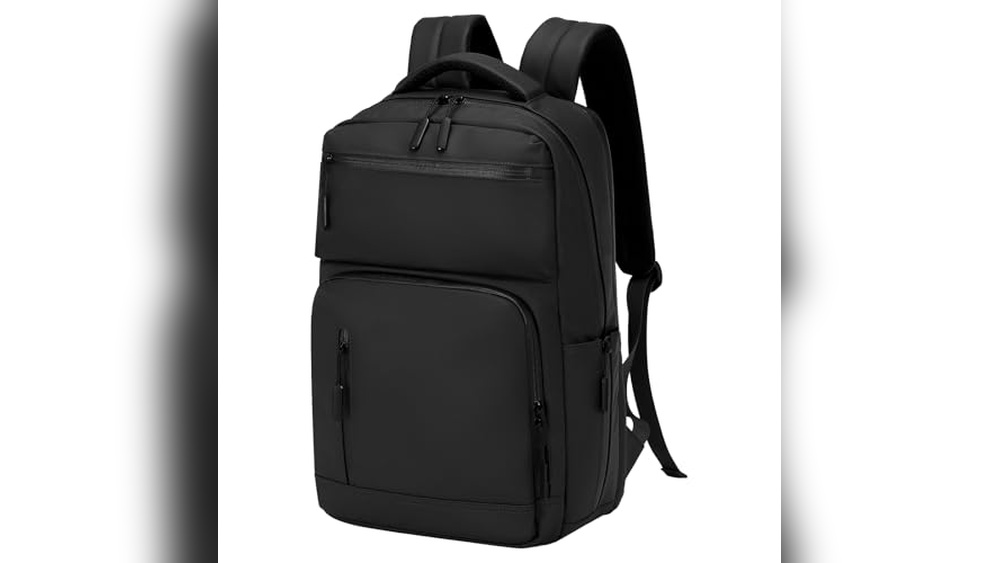
Have you ever wished your phone or tablet could charge while you’re on the move? Backpacks with USB chargers make this possible, but how exactly do they power your devices?
Understanding this simple but clever technology can change the way you carry your gadgets every day. Keep reading, and you’ll discover how these backpacks keep your devices alive, so you never run out of battery when you need it most.
Usb Charger Integration
Backpacks with USB chargers offer a smart way to power devices on the go. They combine storage with charging technology. This integration makes it easy to keep phones and gadgets alive during travel or daily use.
The secret lies in how the USB charger is built into the backpack. It blends convenience with practicality without adding extra bulk. Let’s explore how these backpacks power your devices.
Built-in Charging Ports
Most USB backpacks have an external charging port on the side. This port connects to your power bank inside the bag. You can plug your device’s charging cable into the port outside.
This design keeps you from opening the backpack to charge. It helps protect your devices and power bank from weather or theft. The port is usually small and sturdy for daily use.
Internal Power Bank Compartments
Inside, there is a special pocket for a power bank. This pocket keeps the power bank secure and easy to access. It often has cable connectors to link the power bank to the external port.
You need to supply your own power bank in most cases. The compartment prevents the power bank from moving around. This setup allows you to charge devices without removing the power bank.
Power Source Options
Backpacks with USB chargers need a power source to work. They connect your devices to a power supply inside the bag. There are different ways these backpacks get power. Understanding these options helps you choose the right backpack for your needs.
Using External Power Banks
Most backpacks with USB chargers use external power banks. You place a power bank inside a special pocket in the bag. The power bank connects to the USB port inside the backpack. This setup lets you charge phones or tablets on the go. You can use any power bank with the right size and voltage. It is easy to replace or upgrade the power bank anytime.
Solar Charging Capabilities
Some backpacks come with built-in solar panels. These panels capture sunlight and turn it into electricity. The solar power charges the battery inside the backpack. This method works best outdoors in sunny conditions. It offers a green and free way to keep your devices charged. Solar charging is slow but useful during long trips without power outlets.
Charging Process
The charging process in backpacks with USB chargers is simple and useful. These backpacks let you charge your devices while you move. They have a built-in system that connects your device to a power source inside the bag. This system keeps your gadgets powered without needing to carry a power bank in your hand.
Connecting Devices To The Backpack
First, you plug your device’s charging cable into the backpack’s USB port. This port is usually outside the bag for easy access. Inside the backpack, a cable connects this port to a power bank slot. You place your power bank inside the bag. This setup creates a bridge between your power bank and your device.
You can charge phones, tablets, or other USB-powered gadgets. Simply connect your device’s cable to the external USB port. Your device starts charging as long as the power bank inside has energy.
Power Flow Mechanism
The power bank inside the backpack stores electrical energy. It sends power through the internal cable to the USB port. When your device is connected, electricity flows from the power bank to your device. This flow charges your device’s battery.
The backpack itself does not create power. It only acts as a holder and connector. The power bank must be charged separately before use. This design keeps your device safe and charged while you travel or walk.
Design And Convenience
Backpacks with USB chargers combine smart design and user convenience. They make charging devices easy while you carry your daily items. The design focuses on practical use and comfort. Small details improve your experience and keep things organized. These backpacks fit well into busy lifestyles.
They do more than hold stuff. They help you stay connected without hassle. Let’s explore how their design supports ease and utility.
Ergonomic Placement Of Ports
USB ports in these backpacks are placed for easy reach. You can plug in your device without opening the bag. Ports are often near the top or side for quick access. This placement helps prevent cable tangling or damage. You can charge your phone while walking or sitting. The design keeps your device safe and the port secure.
Cable Management Features
Good backpacks include special spots to keep cables tidy. Inside, there are clips or straps to hold charging wires. This stops cables from getting tangled or lost. Some designs have separate compartments for power banks. Cables stay clean and ready to use anytime. Managing cables this way reduces frustration and saves time.
Safety Features
Backpacks with USB chargers offer great convenience. Safety features protect both your devices and yourself. These backpacks include smart designs to avoid damage and hazards.
Overcharge Protection
Overcharge protection stops the battery from charging too long. This feature helps prevent overheating and battery damage. It extends the life of your power bank and devices. The charging process stops automatically once full.
Water-resistant Materials
Water-resistant materials keep your backpack and charger safe from rain and spills. These fabrics block moisture from reaching your electronics inside. This feature adds extra protection during bad weather. It helps avoid short circuits and device damage.
Practical Uses
Backpacks with USB chargers offer real convenience in daily life. They let you charge devices on the move. This feature fits many lifestyles and needs. Using these backpacks saves time and keeps gadgets ready.
For Travelers And Commuters
Travelers benefit from charging their phones or tablets anytime. Long flights and train rides become less stressful. Commuters enjoy keeping devices powered during busy trips. No need to find an outlet at bus stops. These backpacks help keep maps, tickets, and apps active. They support staying connected and informed on the go.
For Students And Professionals
Students can charge laptops and phones between classes. It helps them stay productive without hunting for plugs. Professionals use these backpacks to power devices during meetings. They can work from parks, cafes, or libraries. This flexibility improves focus and efficiency. Keeping devices charged means fewer interruptions.
Choosing The Right Backpack
Choosing the right backpack with a USB charger is important for daily convenience. It affects how well your devices stay powered throughout the day. The right backpack fits your needs and matches your devices. Consider key features before making a choice.
Battery Capacity Considerations
Battery capacity determines how long your devices can charge. Larger batteries offer more power but add weight. Smaller batteries are lighter but may not last long. Think about how many devices you need to charge. Also, consider how long you will be away from a power source.
Compatibility With Devices
Not all backpacks support every device. Check if the USB charger matches your phone or tablet. Some backpacks include multiple ports for different devices. Make sure the charging cables fit your gadgets. This prevents frustration and wasted time.
Frequently Asked Questions
How Do Usb Charging Backpacks Work?
USB charging backpacks have built-in cables connected to a power bank pocket. The power bank inside supplies electricity to charge devices through the external USB port.
Can I Charge Any Device Using These Backpacks?
Yes, you can charge most USB-powered devices like smartphones, tablets, and headphones using the backpack’s USB port.
Do I Need To Carry A Power Bank Separately?
Yes, you must place your own power bank inside the backpack’s internal compartment for charging to work.
Is It Safe To Charge Devices In These Backpacks?
Yes, these backpacks are designed with safety features to prevent overheating and short circuits during device charging.
Conclusion
Backpacks with USB chargers offer great convenience for daily use. They let you charge devices on the go without extra effort. The built-in ports connect easily to power banks inside the bag. This setup keeps your phone and gadgets powered anytime.
Carrying these backpacks means fewer worries about battery life. They blend storage and charging in one simple design. Perfect for students, travelers, and busy people alike. Choosing one can help you stay connected all day. A smart, practical choice for modern life.