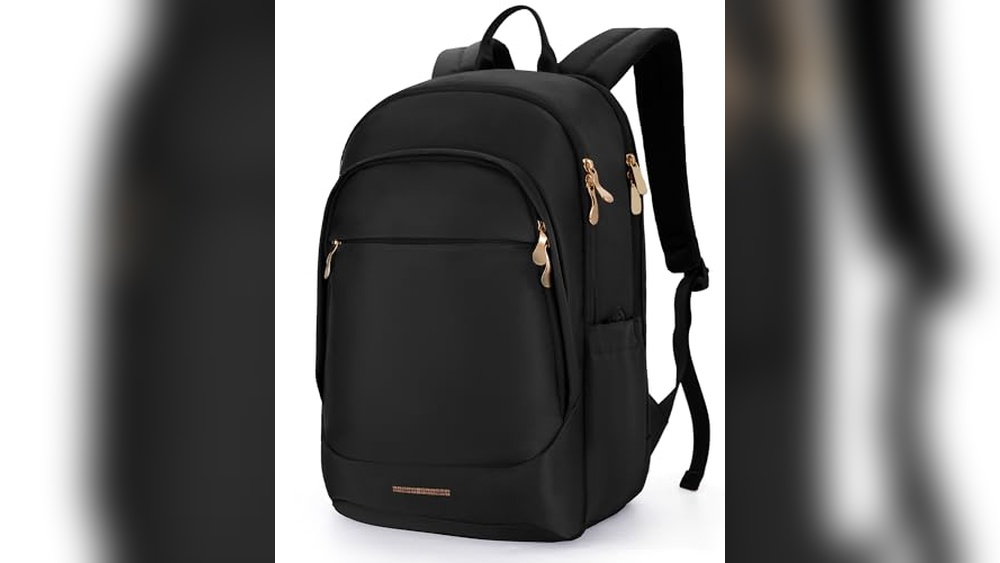
You’ve captured amazing moments on your backpacking trip, but what if your photos get lost or your device breaks? Losing those memories can be heartbreaking.
That’s why knowing how to backup photos while backpacking is a must. In this guide, you’ll discover simple, practical ways to keep your photos safe no matter where your adventure takes you. Keep reading to protect your memories and enjoy your journey without worry.
Choosing Backup Methods
Choosing the right backup method is key to protecting your photos while backpacking. Each method has benefits and limits. Your choice depends on convenience, safety, and the gear you carry. Consider how often you want to back up and how much space you need.
Cloud Storage Options
Cloud storage keeps your photos online and safe from loss. Upload photos using Wi-Fi or mobile data. Services like Google Photos, Dropbox, or iCloud are popular. They let you access photos on any device. Storage limits may apply, so check plans before travel. Cloud backup works well if you find regular internet access.
Portable Hard Drives
Portable hard drives offer large storage for many photos. They are small and easy to carry in your backpack. Connect to your laptop or tablet to copy files. Hard drives need power and careful handling to avoid damage. They are great when you have no internet access. Back up photos regularly to keep them safe.
Usb Flash Drives
USB flash drives are compact and easy to use. They fit in your pocket and do not need power. Copy photos quickly to free up camera memory. Flash drives have less space than hard drives but are very portable. They work best for short trips with fewer photos. Keep drives dry and safe from physical harm.
Memory Card Rotation
Rotate memory cards to protect photos without extra gear. Carry multiple cards and switch them often. Store used cards in a safe place, separate from your camera. This method reduces the risk of losing all photos at once. It is simple and cost-effective. Check cards regularly for damage or errors.
Essential Backup Tools
Backing up photos during a backpacking trip is crucial. Losing pictures can mean losing memories. Essential backup tools help keep your photos safe. These tools are easy to carry and use on the go.
Choosing the right equipment makes a big difference. Here are some must-have tools for photo backup.
Reliable Power Banks
Power banks keep your devices charged anywhere. Long battery life means more photos saved. Look for power banks with high capacity and fast charging. Compact designs fit easily in your backpack. Some models even have solar charging for remote areas.
Durable Storage Devices
Storage devices hold your photo backups securely. SSDs and rugged flash drives resist drops and water. Choose devices with enough space for hundreds of photos. Small size makes them easy to carry. Durable storage keeps data safe from damage.
Backup Apps For Mobile Devices
Backup apps automatically save photos to cloud or local storage. They work offline and sync later. Apps with easy interfaces suit all users. Some apps compress files to save space. Set them to back up photos daily or after each session.
Backup Frequency Tips
Backing up photos often is key while backpacking. It keeps your memories safe from loss or damage. Setting a backup frequency helps you stay organized and worry less. Here are some simple tips to help plan your backup schedule.
Daily Backup Routine
Backing up photos every day protects your pictures from unexpected problems. Use a portable hard drive or cloud service for quick saves. Make it a habit before you sleep or rest. This routine reduces the risk of losing many photos at once.
Backup After Key Events
Backup photos right after important moments or trips. Special events like hikes, festivals, or visits deserve immediate attention. This keeps your best shots safe and ready to share. It also avoids large backup sessions later.
Managing Limited Connectivity
Internet access may be weak or slow on the road. Prepare by using offline backup tools or external drives. Save photos locally until you find good Wi-Fi. Plan backups in cafes, hostels, or libraries with reliable internet.
Security Measures
Keeping your photos safe while backpacking is very important. Photos hold memories and stories from your trips. Losing them or having them stolen can be upsetting. Taking security measures protects your images from theft, loss, or damage. You can enjoy your journey without worry by using simple safety steps.
Encrypting Your Photos
Encryption changes your photos into a secret code. Only you can unlock this code with a special key. Use apps or software that offer encryption for your photo backups. This stops others from viewing your pictures if they access your files. Encryption adds a strong layer of protection to your memories.
Using Password Protection
Set passwords on your backup devices or cloud accounts. A strong password includes letters, numbers, and symbols. Do not use easy words like “password” or “1234”. Change passwords regularly. Passwords block unwanted access to your photos. Keep your passwords written down somewhere safe, not stored on your devices.
Safe Storage Practices
Store backups in different places to avoid total loss. Use external hard drives, USB sticks, or cloud storage. Avoid leaving devices in one location during travel. Protect devices with cases to prevent physical damage. Always eject storage devices safely before unplugging. These habits keep your photo backups secure and intact.
Troubleshooting Backup Issues
Backing up photos while backpacking is crucial. Problems can happen anytime. Knowing how to fix backup issues saves your memories.
Troubleshooting backup problems helps keep your photos safe. It reduces stress on the road. You stay ready for any challenge.
Dealing With Storage Failures
Storage devices can stop working without warning. Always carry extra memory cards or drives. Check your device before backing up photos. Avoid using damaged or old storage. Format new storage properly before use. Keep storage dry and away from heat. Store backups in different places to be safe.
Handling Corrupted Files
Files may get corrupted during transfer or storage. Use reliable backup software that checks file integrity. Avoid interrupting the backup process. Save photos in common formats like JPEG or PNG. Repair corrupted files with free tools if needed. Regularly test your backups to find problems early.
Recovering Lost Data
Lost photos can feel like they are gone forever. Stop using the storage device immediately. Use data recovery software to try restoring files. Follow instructions carefully to avoid further damage. Keep copies of recovered data on new storage. Seek help from professionals if recovery fails.
Organizing Photos On The Go
Organizing photos on the go helps save time and keeps memories safe. Backpackers often take many photos daily. Without order, finding a photo later can be tough. Simple steps can keep photos tidy during travel. This way, you enjoy your trip without digital stress.
Tagging And Sorting
Tagging photos with labels like “mountain,” “city,” or “friends” helps find them fast. Sort photos by date or place to keep them in order. Use clear, short tags for easy searching. Tagging saves time when you want to share or review photos later.
Using Photo Management Apps
Photo management apps organize and back up photos automatically. They work offline and sync when online. Many apps let you add tags and sort images quickly. Choose apps with simple interfaces for easy use. Apps reduce the risk of losing important photos.
Creating Quick Albums
Quick albums group photos by event or day. Create albums soon after taking photos to avoid forgetting. Albums make sharing with friends easier and faster. Use simple album names like “Day 1 Beach” or “Hiking Trip.” This keeps your photo library neat and clear.
Frequently Asked Questions
How Can I Backup Photos Without Internet While Backpacking?
Use portable storage like external hard drives or USB sticks. Transfer photos regularly to prevent loss. Offline apps can organize and compress files. This ensures your photos stay safe even without internet access.
What Are The Best Devices To Backup Photos On Trips?
Portable SSDs and high-capacity USB drives are reliable. They are lightweight, durable, and fast. Choose devices with good battery life or no power need. These options work well for backpackers on the move.
Is Cloud Backup Practical During Backpacking Trips?
Cloud backup requires stable internet, often scarce while backpacking. Use cloud backup only when Wi-Fi is available. Combine cloud with physical backups for the best photo security.
How Often Should I Backup Photos While Backpacking?
Backup photos daily or after significant photo sessions. Frequent backups reduce the risk of data loss. Regular routines keep your memories safe throughout your journey.
Conclusion
Backing up photos while backpacking keeps your memories safe. Carry a small, reliable storage device. Use cloud backup when internet is available. Save photos often to avoid loss. Organize files to find them quickly later. These simple steps protect your travel pictures.
Enjoy your trip without worrying about data loss. Stay prepared and capture every moment confidently.