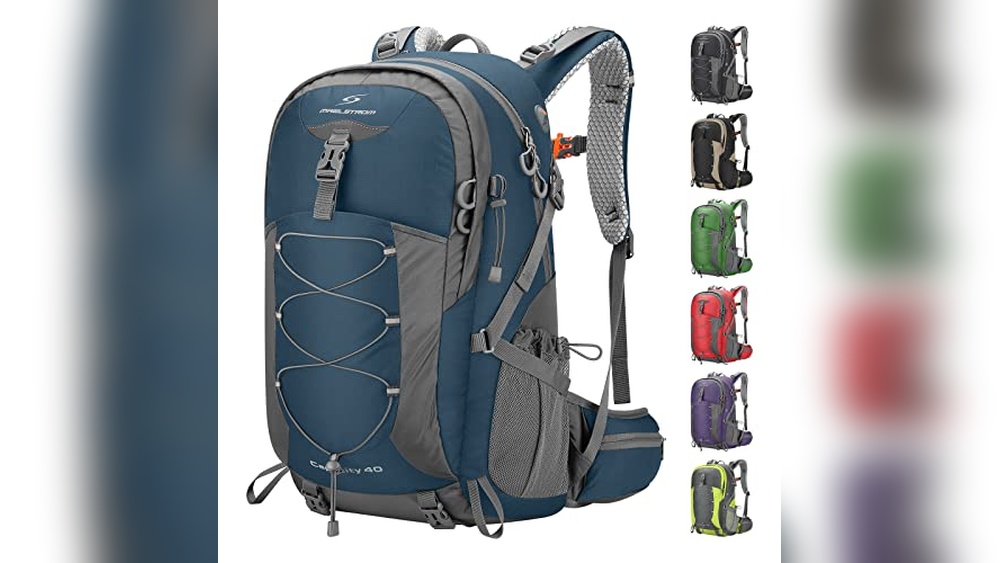
Have you ever been out and about, only to realize your phone or tablet is running low on battery? Your USB backpack can be a lifesaver, but only if you know how to charge it correctly.
If you’re unsure how to keep your backpack’s charging feature working efficiently, you’re in the right place. This guide will show you simple steps to charge your USB backpack quickly and safely, so you never have to worry about losing power on the go.
Keep reading to learn how to make the most of your backpack’s built-in charging system.
Choosing The Right Usb Cable
Choosing the right USB cable is important for charging your USB backpack efficiently. The cable affects charging speed and device safety. Picking the right cable ensures your devices get the power they need without any issues.
Types Of Usb Cables
There are several types of USB cables. USB-A is the most common and fits many chargers. USB-C is newer and supports faster charging and data transfer. Micro-USB is older but still used in some devices. Knowing the type your backpack and device need is key.
Cable Length And Quality
Choose a cable length that suits your use. Short cables charge faster and are less likely to tangle. Long cables offer more flexibility but may reduce charging speed. Quality matters too. Look for cables with sturdy connectors and thick wires to last longer.
Compatibility With Devices
Check if the cable matches your device ports. A USB-C cable won’t fit a Micro-USB port. Some cables support quick charging, but only if your device does too. Using compatible cables keeps your device safe and charges it properly.
Locating The Usb Port On Your Backpack
Finding the USB port on your backpack is the first step to charging your devices. Most backpacks with USB charging features have a special port built into the design. This port connects to a power bank inside the backpack, allowing easy charging on the go.
Knowing where the USB port is helps you use your backpack quickly and safely. It also prevents damage to the cable or port. Below are tips to spot and check the USB port on your backpack.
Common Usb Port Positions
The USB port is often located on the side of the backpack. It can also be near the top or on a small external pocket. Some backpacks place the port near the shoulder strap for easy access. Look for a small opening with a USB symbol or cover flap.
Identifying Port Types
Most backpacks use a standard USB-A port for charging. Some newer models have USB-C ports. The USB port on your backpack might be female, meaning it receives a USB plug from your device. Check the shape and size of the port to match your charging cable.
Checking For Damage Or Debris
Before plugging in your device, inspect the USB port closely. Look inside for dirt, dust, or debris that can block connection. Check if the port is loose or cracked. Clean gently with a soft brush if needed. Avoid forcing cables into a damaged port.
Connecting Your Power Bank
Connecting your power bank to a USB backpack is easy. It allows you to charge your devices while on the move. This section explains how to select and connect your power bank safely. Follow these steps to keep your devices powered without trouble.
Selecting A Suitable Power Bank
Choose a power bank with enough capacity for your needs. Check the battery size, usually measured in mAh. A higher mAh means longer charging time. Pick one with a USB output that matches the backpack’s port. Look for a power bank with good reviews and safety features.
Proper Connection Techniques
Use the right USB cable to connect the power bank to the backpack. Insert the cable firmly into the backpack’s USB input port. Connect the other end to the power bank’s output port. Make sure both ends fit snugly to avoid loose connections. Avoid forcing the cable to prevent damage.
Ensuring Secure Attachment
Secure the power bank inside the backpack’s designated pocket. Use straps or compartments designed to hold it in place. This prevents the power bank from moving during travel. Check the cable path to avoid bending or pinching. A secure setup keeps charging steady and safe.
Charging Your Backpack
Charging your USB backpack is simple and keeps your devices ready on the go. This backpack has a built-in USB port that connects to a power bank inside. You can charge your phone or tablet without opening the bag.
Understanding how to charge the backpack itself is key. It needs power from an external source to work well. Follow these steps for safe and effective charging.
Power Source Options
You can use different power sources to charge your USB backpack. A wall charger with a USB cable is the most common choice. It provides stable power and charges quickly.
Power banks are another good option. Just connect the backpack’s USB port to the power bank. This method is handy when you are outdoors or without a plug.
Some laptops and computers also work as power sources. Plug the USB cable into the laptop’s USB port. It might take longer but works well in a pinch.
Monitoring Charging Status
Check if your backpack is charging by looking at the power bank’s LED lights. Most power banks show battery levels with small lights. When all lights turn on, the power bank is full.
Your device also shows charging status on the screen. A charging icon or battery percentage will appear. This confirms the backpack’s USB port is working correctly.
Some backpacks have small indicator lights near the USB port. These lights tell you if the backpack is connected to power. Watch these to avoid overcharging.
Safety Tips During Charging
Always use the original or certified USB cable for charging. Cheap or damaged cables can cause short circuits or fire. Check cables regularly for any wear or damage.
Charge your backpack in a cool and dry place. Avoid direct sunlight or wet areas. Excess heat or moisture may damage the battery inside.
Do not leave the backpack charging unattended for long periods. Unplug it once fully charged to prevent overheating. Keep the backpack away from flammable materials while charging.
Troubleshooting Charging Issues
Troubleshooting charging issues with a USB backpack can save time and frustration. Knowing how to find and fix common problems helps keep your devices powered. This section guides you through easy steps to resolve charging troubles.
Common Problems And Fixes
One frequent problem is the backpack not charging at all. Check the power source to ensure it works. Sometimes, the USB port or cable is loose. Firmly connect the cable to both the backpack and power bank.
Another issue is slow charging. This can happen if the power bank has low power or the cable is damaged. Try using a different cable or charging source. Dirt or dust in ports also blocks charging. Clean ports gently with a soft brush or cloth.
When To Replace Cables Or Power Banks
Cables can wear out over time. Look for visible damage like fraying or bent connectors. Replace cables showing these signs. Power banks have a limited lifespan too. If the power bank no longer holds a charge, it needs replacement. Using damaged cables or power banks can harm your devices.
Seeking Professional Help
If problems persist after trying fixes, consider professional help. Experts can diagnose hidden issues inside the backpack or power bank. Avoid opening the backpack yourself to prevent damage. Professional repair ensures safe and proper handling.
Maintaining Your Usb Backpack
Maintaining your USB backpack ensures it works well for a long time. Proper care helps avoid damage and keeps the charging feature reliable. Simple steps can protect both the backpack and its built-in USB port.
Cleaning The Usb Port
Dust and dirt can block the USB port. Use a soft brush or a dry cloth to clean it gently. Avoid using water or liquids that can cause damage. Clean the port regularly to keep a good connection for charging.
Storing The Backpack Safely
Store the backpack in a cool, dry place. Avoid direct sunlight or damp areas that can harm electronics. Keep the USB cable inside the backpack to prevent it from bending or breaking. Proper storage helps keep the backpack and USB port safe.
Extending Battery Life
Charge the backpack’s power bank fully before use. Avoid overcharging by unplugging once it reaches 100%. Use the power bank often to keep the battery active. These habits help the battery last longer and work better.
Frequently Asked Questions
How Do I Charge A Usb Backpack Safely?
To charge a USB backpack safely, use the provided USB cable with a compatible power bank. Avoid overcharging and keep the connections dry. Always use certified chargers to prevent damage and ensure efficient charging.
Can I Charge My Phone Directly From A Usb Backpack?
Yes, you can charge your phone directly from a USB backpack if it has a built-in power bank. Connect your phone using a USB cable to the backpack’s external USB port for convenient on-the-go charging.
What Type Of Power Bank Works With Usb Backpacks?
Most USB backpacks work with standard USB power banks rated 5V/2A. Choose a power bank with sufficient capacity to keep your devices charged longer. Ensure it has a USB output compatible with your backpack’s charging port.
How Long Does It Take To Charge A Usb Backpack?
Charging time depends on the power bank capacity and charger output. Typically, it takes 3 to 6 hours to fully charge a USB backpack’s power bank using a 2A charger.
Conclusion
Charging a USB backpack is simple and saves time. Just connect your power bank inside the bag to the USB port. Then plug your device’s charging cable into the external port. This lets you charge devices while you walk or travel.
Always check your power bank’s charge level before leaving. Keep cables neat to avoid tangles or damage. With these easy steps, your devices stay powered on the go. A charged backpack helps you stay connected anytime, anywhere.