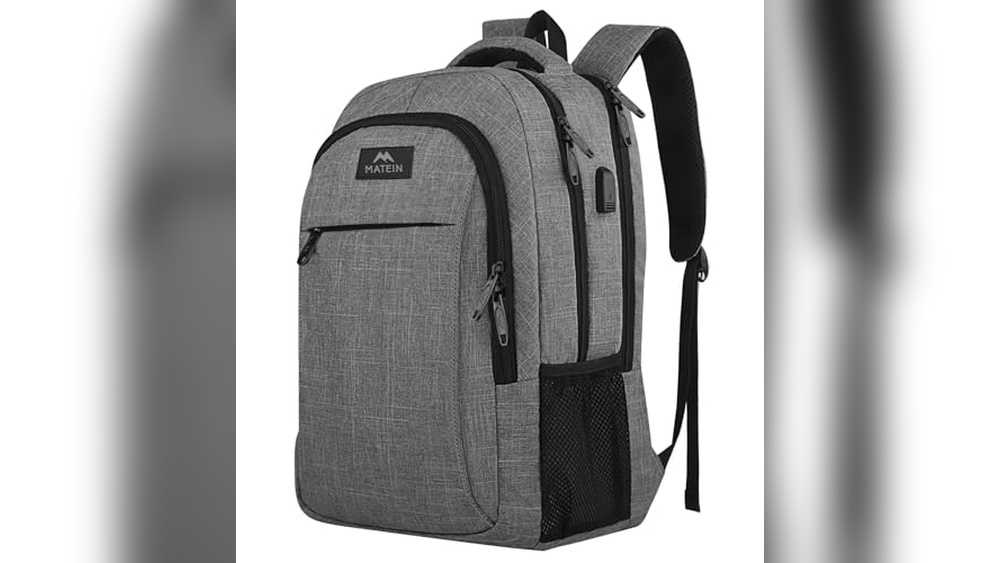
Are you struggling to figure out how to charge your backpack USB port quickly and safely? You’re not alone.
Many people carry backpacks with built-in USB ports but don’t know the best way to use them. What if you could keep your devices powered up all day without carrying extra chargers? In this guide, you’ll discover simple steps to charge your backpack USB efficiently, protect your gadgets, and make your daily routine easier.
Keep reading, and you’ll never worry about a dead phone battery while on the go again.
Choosing The Right Backpack
Choosing the right backpack is important for charging your devices on the go. The right backpack makes charging simple and safe. It keeps your devices powered without hassle. This section covers key points to consider when picking a backpack with USB charging features.
Backpacks With Built-in Usb Ports
Many backpacks come with built-in USB ports for easy charging. These ports connect inside to a power bank. They let you charge your phone without opening the bag. Check that the port is strong and easy to use. A good port helps you stay connected all day.
Power Bank Compatibility
Not all backpacks fit every power bank. Confirm the backpack’s pocket size matches your power bank. Some bags have special compartments for power banks. Also, check if the USB cable inside fits your devices. Power bank compatibility is key for smooth charging.
Material And Design Considerations
Choose backpacks made from durable materials like nylon or polyester. Water-resistant fabrics protect your devices from rain. A well-designed backpack has separate pockets for cables and gadgets. Comfortable straps and lightweight design make carrying easier. Simple design keeps your devices safe and charging steady.
Essential Charging Accessories
To charge your backpack USB, you need the right accessories. These tools make charging easy and fast. They also protect your devices from damage. Choosing good accessories helps you stay powered up during travel or daily use.
Below are the must-have charging accessories for your backpack USB.
Selecting A Portable Power Bank
A portable power bank stores extra power for your devices. Pick one with enough capacity to charge your devices multiple times. Look for power banks with fast charging support. Choose a lightweight and compact model for easy carrying. Check that it has multiple USB ports to charge several devices at once.
Types Of Usb Cables
USB cables connect your devices to power sources. There are different types: USB-A, USB-C, and Micro-USB. USB-C is the newest and fastest charging option. Make sure the cable matches your device’s port. Use high-quality cables to avoid slow charging or damage. Short cables are best for backpacks to reduce tangles.
Additional Charging Adapters
Charging adapters plug into power outlets. Choose adapters with multiple USB ports for charging several devices. Select ones with fast charging technology like Quick Charge or Power Delivery. A foldable plug adapter is good for travel. Check voltage compatibility to avoid device damage.
Step-by-step Charging Process
The step-by-step charging process for your backpack USB is simple and quick. Follow these steps to keep your devices powered on the go. Each step ensures your power bank and devices connect properly. This helps avoid charging issues during travel or daily use.
Connecting Power Bank To Backpack Usb Port
First, open the backpack’s USB port cover. Take your power bank and connect it to the internal USB cable. Make sure the connection is secure. The power bank stays inside the backpack, hidden from view. This setup allows easy charging without carrying extra cables outside.
Plugging Devices Into The Backpack Usb
Next, connect your phone or tablet to the external USB port on the backpack. Use your device’s charging cable. Plug one end into your device and the other into the backpack port. This connection draws power from the power bank inside. It keeps your device charged while you move.
Monitoring Charging Status
Check your device screen to see if it is charging. Most devices show a battery icon or a charging symbol. Also, watch the power bank’s LED lights for battery level. Recharge the power bank when its charge gets low. This ensures your backpack USB system works smoothly every time.
Tips For Efficient Charging
Charging your backpack USB device efficiently saves time and keeps your gadgets ready. Small habits can make a big difference. Follow these tips to get the most from your charging setup.
Optimizing Power Bank Usage
Choose a power bank with the right capacity for your needs. Use one with a high output current to charge faster. Avoid using the power bank while charging your device. Fully charge the power bank before use. Store it in a cool, dry place to keep its battery healthy.
Maintaining Cable And Port Health
Use good quality charging cables. Avoid bending or twisting cables sharply. Clean the USB ports regularly to remove dust and dirt. Insert and remove cables gently to prevent damage. Replace cables if you see fraying or wear.
Managing Device Power Consumption
Turn off unused apps and functions while charging. Lower screen brightness to reduce power use. Activate airplane mode for faster charging. Avoid using the device heavily during charging. This helps the battery fill up quicker and last longer.
Troubleshooting Common Issues
Troubleshooting common issues with backpack USB charging can save time and frustration. Many users face simple problems that block charging. Understanding these issues helps fix them quickly. Below are some common problems and easy solutions.
Usb Port Not Charging
Check if the USB port is clean and free of dust. Dirt can block the connection. Use a soft brush or cloth to clean it gently. Test the port with another device to see if it works. A broken port may need repair or replacement.
Power Bank Not Recognized
Make sure the power bank is fully charged. Some devices won’t connect if the power bank has low power. Try using a different cable to rule out cable issues. Restart the power bank and your device to refresh connections. If the problem stays, the power bank might be faulty.
Slow Charging Problems
Slow charging can happen due to poor cable quality. Use a high-quality charging cable designed for fast charging. Avoid charging in extreme temperatures, as heat or cold slows charging. Close apps running in the background that use power. Charging speed improves with these simple steps.
Safety Precautions
Charging your backpack USB port safely is important. It helps protect your devices and your backpack. You can avoid damage and keep everything working well. Follow these safety tips to charge with care.
Avoiding Overheating
Heat can damage your electronics and battery. Do not cover your backpack while charging. Keep it in a cool, dry place. Check the USB port and cable for warmth often. Stop charging if you feel too much heat.
Proper Storage Of Electronics
Store devices safely before charging. Remove sharp objects from your backpack. Keep devices away from water and dirt. Use padded compartments to protect your gear. This reduces the risk of damage during charging.
Using Certified Charging Equipment
Use chargers and cables from trusted brands. Certified gear meets safety standards. Avoid cheap or unknown chargers. They can cause short circuits or fires. Check for official labels and certifications on your equipment.
Frequently Asked Questions
How Do I Charge A Backpack Usb Port?
To charge a backpack USB port, connect a power bank inside the backpack. Plug the power bank into the internal USB cable. Then, use the external USB port to connect your device for charging on the go.
What Power Source Is Needed For Backpack Usb Charging?
A portable power bank with sufficient capacity is needed. The power bank supplies energy to the backpack’s internal USB cable. Ensure your power bank is fully charged before use for efficient charging.
Can I Charge Multiple Devices From One Backpack Usb?
Yes, if your power bank supports multiple outputs. Connect devices to the backpack’s external USB ports or use a USB hub. Make sure your power bank has enough power to charge all devices simultaneously.
Is It Safe To Charge Devices Via Backpack Usb?
Yes, charging via backpack USB is safe if done properly. Use quality cables and a reliable power bank. Avoid exposing the backpack to moisture or extreme heat during charging.
Conclusion
Charging your backpack USB is easy with the right steps. Always use the correct cable and power source. Keep the USB port clean to avoid connection problems. Charge in a safe place to protect your devices. Remember to unplug once fully charged to save energy.
Follow these tips, and your backpack USB will work well every time. Simple care helps your gear last longer and stay ready to use. Stay powered up wherever you go.